
Download Fantasaur – Create Personalized Bedtime Stories with AI for Kids
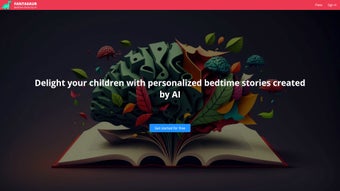
Fantasaur is a creative, AI-powered web application that helps parents craft unique, personalized bedtime stories for their children. With customizable characters, themes, moral lessons, and multilingual support, Fantasaur transforms storytime into an interactive and engaging experience. Whether you're reading aloud or letting your child listen, each story comes with vivid illustrations, making it perfect for early literacy and family bonding. The platform runs smoothly on Windows, Mac, Android, and iOS devices, with a dedicated Android app available for download. Designed with safety in mind, Fantasaur ensures age-appropriate content while allowing full creative control. A free trial and affordable subscription plans make it easy to explore all features. Download Fantasaur today and turn every night into a magical storytelling adventure.
Key Features of Fantasaur – What Makes It Special?
Fantasaur stands out in the crowded space of children’s digital tools by combining AI storytelling with rich personalization options. One of its most impressive features is the ability to customize character names—parents can insert their child’s name, favorite animal, or even a family pet to make the story feel deeply personal. This level of customization fosters emotional connection and enhances engagement, especially for younger readers who love seeing themselves as heroes.
The platform also supports multiple languages, allowing families to read stories in English, Spanish, French, German, and more. This is particularly useful for bilingual households or families teaching their children a second language through storytelling. Each story includes a built-in moral lesson—such as kindness, honesty, or perseverance—which subtly promotes values without feeling preachy.
Another standout feature is the automatic generation of high-quality illustrations that match the story’s tone and characters. These visuals are not generic stock images but hand-crafted, AI-generated artwork designed specifically for children’s books. Parents can preview the illustrations before finalizing the story, ensuring they align with their expectations. The stories are also available in audio format, perfect for bedtime listening when reading aloud isn’t possible.
Fantasaur also includes a simple, intuitive interface that requires no technical skills. With just a few clicks, users can generate a complete story with narration and images. The platform updates regularly with new themes, characters, and templates, keeping content fresh and exciting. Whether you're looking for a fantasy adventure, a space journey, or a gentle animal tale, Fantasaur delivers tailored content in seconds.
How to Use Fantasaur: Step-by-Step Guide for Parents
Using Fantasaur is incredibly straightforward, making it accessible even for tech-averse parents. Begin by visiting the official website or downloading the Android app from the Google Play Store. Once logged in, you’ll be prompted to select your child’s age, preferred language, and story theme—options include fantasy, adventure, animals, space, and more.
Next, customize the story by entering your child’s name, choosing a favorite animal or superhero as the main character, and selecting a moral lesson. For example, you might create a story where “Lily the Brave Unicorn” learns the value of courage after facing a stormy mountain. The AI then generates a full narrative, complete with chapter breaks, dialogue, and vivid descriptions.
After the story is generated, you can preview the illustrations and listen to the audio narration. If you're happy with the result, you can download the story as a PDF or share it directly via email or messaging apps. The platform also allows you to save your favorite story templates for future use, so you don’t have to start from scratch every time.
For families with multiple children, Fantasaur supports multiple profiles, so each child can have their own story library. The tool is ideal for consistent nightly routines, and parents can even schedule stories in advance. With regular updates and new themes added monthly, Fantasaur ensures that storytime never gets boring.
Compatibility & Accessibility Across Devices
Fantasaur is designed to work seamlessly across a wide range of devices, ensuring that parents and children can enjoy personalized stories anytime, anywhere. The web application is fully responsive and compatible with major browsers, including Chrome, Safari, Firefox, and Edge, making it accessible on both desktop and laptop computers running Windows and Mac operating systems.
For on-the-go storytelling, the dedicated Android app offers a mobile-optimized experience. Available for free download on the Google Play Store, the app supports offline access to previously generated stories, so you can read or listen even without an internet connection. While there is currently no official iOS app, the web version works perfectly on iPhones and iPads through Safari, delivering the same high-quality experience.
Additionally, Fantasaur supports touch gestures, voice commands (via browser accessibility features), and screen reader compatibility, making it inclusive for families with children who have special needs. The platform also adapts its layout based on screen size, ensuring readability and usability on tablets, smartphones, and larger monitors.
Security is a top priority—Fantasaur uses end-to-end encryption for user data and does not store personal information beyond what’s necessary for account functionality. Parents can rest assured that their child’s name and story preferences remain private and secure. Regular software updates ensure compatibility with the latest OS versions and address any potential vulnerabilities.
Pros and Cons of Fantasaur – Honest Review
Pros:
- Highly Personalized Stories – Insert your child’s name, favorite animal, and moral lesson for a truly unique experience.
- AI-Generated Illustrations – Stunning, custom artwork that enhances storytelling and visual engagement.
- Audio Narration – Listen to stories on the go or during bedtime without needing to read aloud.
- Multi-Language Support – Ideal for bilingual families and language learning.
- Free Trial & Affordable Subscription – Test the platform risk-free before committing.
- Works on Windows, Mac, Android, and iOS – Full cross-device compatibility.
Cons:
- No Official iOS App (Yet) – While the web version works on iOS, a native app would improve performance and usability.
- AI Content Not Moderated – Stories are generated by AI and may occasionally include unexpected elements; parental review is recommended.
- Requires Internet for Full Features – Offline access is limited to downloaded stories, not full creation.
- Subscription-Based Model – Free tier has limited features; full access requires a paid plan.
FAQ – Frequently Asked Questions About Fantasaur
Is Fantasaur safe for young children?
Yes, Fantasaur is designed with child safety in mind. While the AI generates content, it uses predefined templates and filters to avoid inappropriate themes. However, since the stories are AI-driven and not human-moderated, parents are encouraged to review each story before sharing it with their child. The platform also includes parental controls and content warnings.
Can I download Fantasaur for my iPhone or iPad?
While there is no official iOS app yet, the Fantasaur web application works flawlessly on iPhones and iPads using Safari. You can access all features, including story creation, audio playback, and illustration viewing. A native iOS app is expected in future updates.
Does Fantasaur offer a free version?
Yes, Fantasaur offers a free trial that allows users to generate up to 5 stories and access basic features. After the trial, a subscription is required for full access, including unlimited story creation, advanced customization, and offline downloads.
Can I use Fantasaur to teach my child a second language?
Absolutely! Fantasaur supports multiple languages, including Spanish, French, German, and more. Parents can select a language and generate stories in that language, making it a fun and effective tool for language learning at home.
How often does Fantasaur update with new stories and features?
Fantasaur releases new themes, characters, and templates every month. The platform also receives regular software updates to improve performance, fix bugs, and enhance security. Subscribers are notified of new features via email.
Final Thoughts: Why You Should Download Fantasaur Today
Fantasaur is more than just a storytelling tool—it’s a bridge between imagination and real-life connection. By allowing parents to create custom stories with their child’s name, favorite themes, and moral lessons, it strengthens emotional bonds and nurtures early literacy. The combination of AI-generated narratives, stunning illustrations, and audio narration makes storytime more engaging than ever.
While it’s not perfect—lacking a native iOS app and relying on AI without human moderation—it offers tremendous value for families seeking creative, secure, and personalized bedtime experiences. With a free trial, cross-device compatibility, and regular updates, Fantasaur is a smart investment for any parent who wants to make storytime magical.
Don’t miss out on turning every night into a memorable adventure. Download Fantasaur today and start creating unforgettable bedtime stories for your child.



.png)



